Emailwish vs Sender
Sender vs Emailwish: more than email, set up for you.
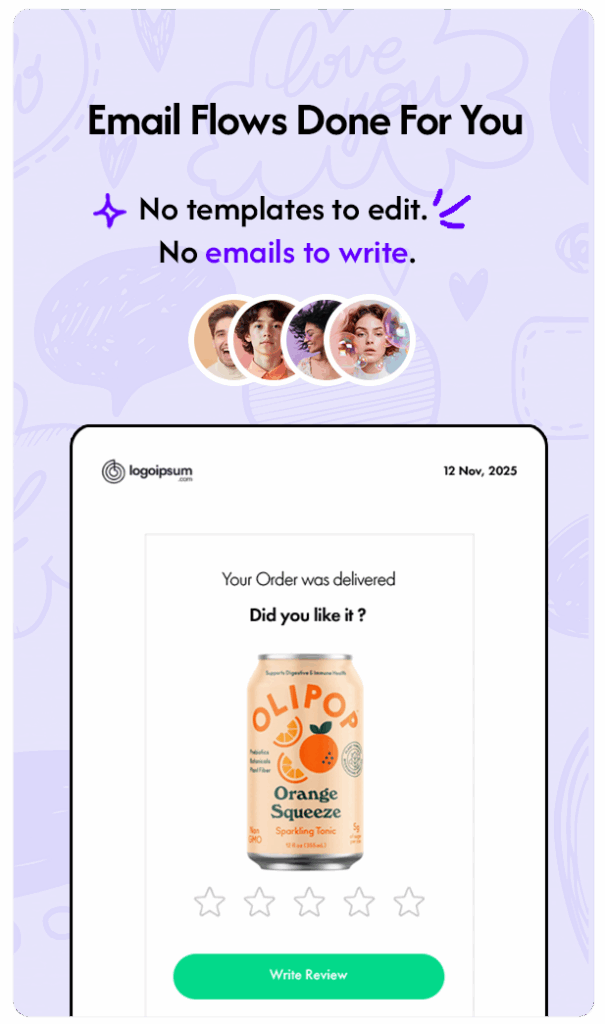
Sender gives you email templates to switch on and fill in. Emailwish writes your emails in your brand's voice, switches on about 10 flows at setup, and adds product reviews, live chat and wishlists in the same app, so a chat, a review or a saved product can trigger the right email.
- Free plan to start
- About 10 flows live at setup
- Reviews, chat and wishlists included
 emailwish
Sender
emailwish
Sender
Trusted by 500+ D2C brands
Shopify stores run email, popups, reviews, live chat and wishlists from one Emailwish account.








Side by side
Emailwish vs Sender, feature by feature
Everything a Shopify store needs to turn visitors into repeat buyers, in one app.
Emailwish
Sender
Prices and features checked on each vendor’s site in October 2026. See all Emailwish plans on our pricing page.
Why stores switch
Why Shopify stores switch from Sender
Sender sends your emails. Emailwish writes them, switches them on and runs the rest of your store's marketing in the same app.
Emails done, without writing one.
Emailwish pulls your store name, logo, products and brand details from Shopify, writes the emails in your voice and switches on about 10 flows: welcome, abandoned cart, review request, form signup, chat follow-up and more.



Five tools, one bill.
Popups, product reviews, live chat and wishlists come with every plan, including Free. No review, chat or wishlist subscriptions on the side, and no integrations to keep in sync.
emailwishOne app. Everything you need.Target what really happened.
Mix wishlists, chats, reviews and popup signups with order history in one segment: a VIP who left a negative review recently, or a shopper who saved a jacket and asked about sizing in chat. Sender has no chat, review or wishlist data of its own.

Reviews
Ask for reviews, and show them
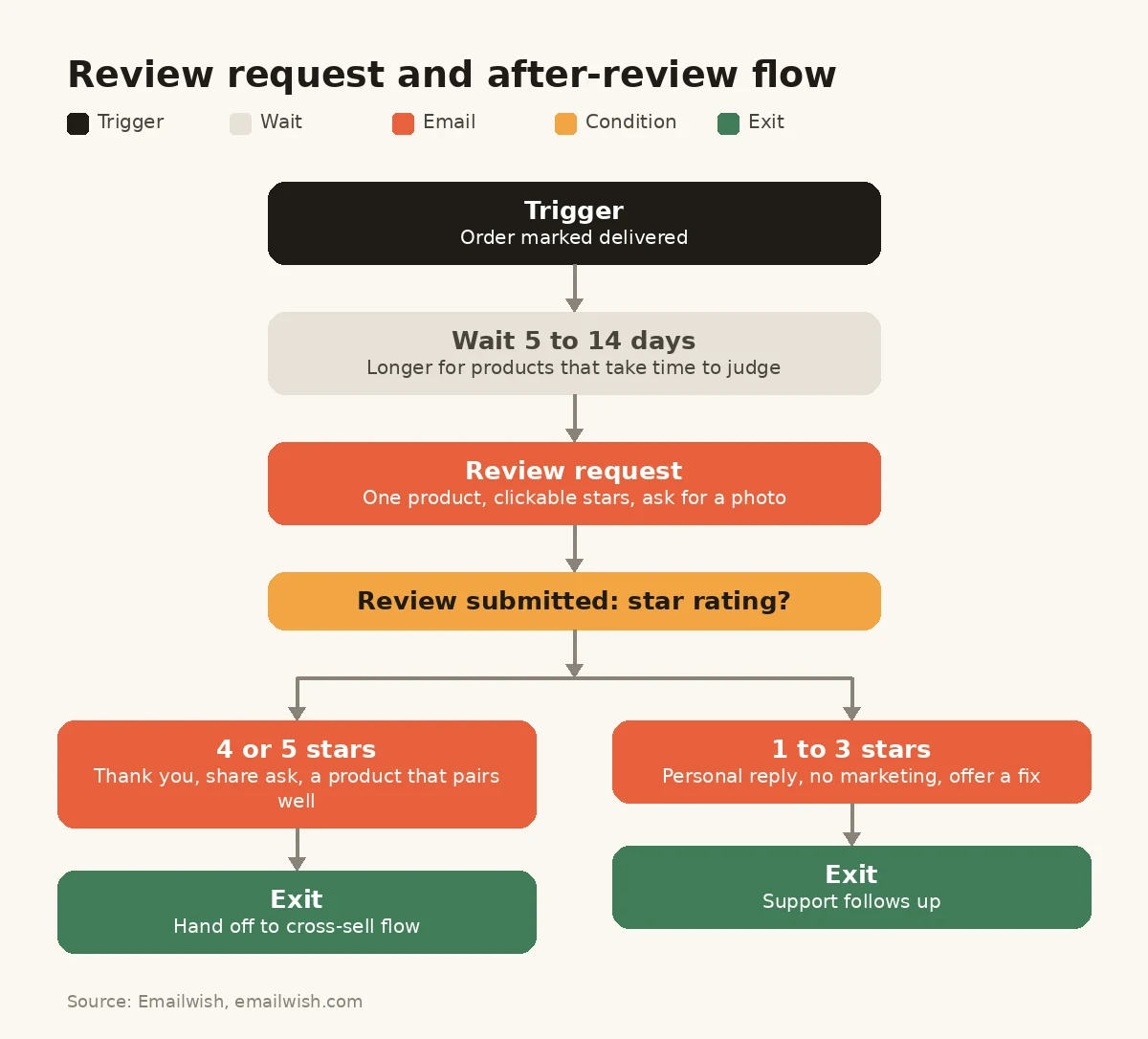
An email asking for a review only helps if the review has somewhere to go. Emailwish sends the request after delivery, collects photo and video reviews on your store, shows them on product pages and inside popups, and thanks happy customers with the after-review series.
- Review requests after delivery, set up for you
- Photo and video reviews, Q&A and Google star ratings
- Import your existing reviews from another app
Built in
Chat and wishlists that sell for you
Chats land in one inbox with the shopper's orders beside them, and you can recommend products right in the conversation. Shoppers save items to a wishlist without an account, and Emailwish emails them when those items are back in stock or drop in price.
- Unlimited chat conversations
- Chat follow-up emails when a shopper doesn't buy
- Back-in-stock and price-drop alerts for wishlisted items

Pricing
Replace five apps with one plan
Sender covers email and signup forms. Reviews, live chat and wishlists need other apps. Here's what the typical five-app stack costs a growing store, with Sender as the email app.
Your app stack
Multiple apps, multiple bills, more complexity.
- Email marketingSender Standard $39/mo
- Product reviewsJudge.me Awesome $15/mo
- Popups and formsOptiMonk Essential $59/mo
- Live chatGorgias Basic $60/mo
- Wishlist and back in stockSwym Starter $29.99/mo
emailwish
Save $148 a month
$55/mo
Launch plan plus 10,000 extra emails
- Email marketing
- Product reviews
- Popups and forms
- Live chat
- Wishlist and back in stock
All the tools
you need.
One plan.
You save $148 a month, about $1,780 a year.
Start for FreeExample store: 5,000 contacts and about 20,000 emails a month, 50,000 monthly pageviews, 300 orders, 300 support conversations with 2 agents and 3,000 wishlist actions a month. Monthly list prices (yearly licences divided by 12), checked on each vendor's site in October 2026.
One customer profile
Every signal behind every email.
Orders, browsing, chats, reviews, popup signups and wishlist saves all land on one profile, so each email knows the whole story. Nothing to sync, nothing to export.
Switching
Switch from Sender without the busywork
Your Shopify data syncs on install and your flows are already written, so most of the move is done before you start.
-
01
Install Emailwish
Add it from the Shopify App Store. Customers, orders and products sync automatically.
-
02
Import your subscribers
Export your list from Sender with each subscriber's status and import it.
-
03
Check your flows
About 10 flows are already written and live. Rebuild only what's unique, like a launch series.
-
04
Switch Sender off
Turn off the matching Sender workflows and popups the same day, then uninstall after a full send cycle.
Our results
What Emailwish stores see
Averages across Emailwish stores, with email, reviews, popups, chat and wishlists working from one customer profile.



Abandoned Carts recovered
9.2%
Avg. increase in Social Proof
56%
Average Subscribers increased
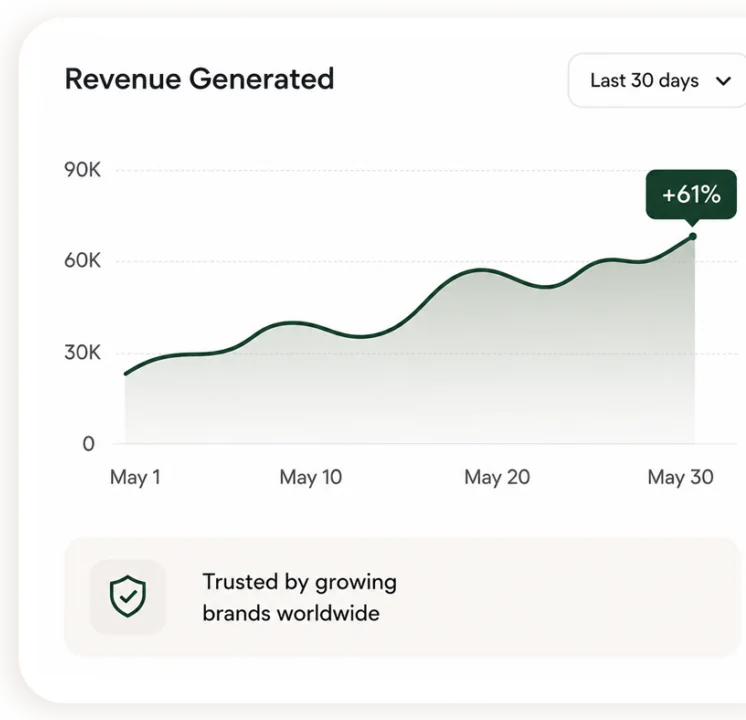
61%
Avg. Support time reduced
33%

“The app is very beginner friendly, and support is just on another level, they personally helped me with installation and even added my personal countries language.”
 JensFounder, ValureDesigns
“Our engagement skyrocketed within the first month of using EmailWish. It's been a game changer for our marketing.”
 Vinday DubeyFounder, Hoodieblan
Case study
HappyChien recovered about 35% of its abandoned cart customers with Emailwish emails and saw a 75% increase in social proof.Read the HappyChien case study
Browse all case studies.
FAQ’s
Sender vs Emailwish: your questions
Yes, for Shopify stores that want more than email. Emailwish writes and switches on about 10 flows at setup, and includes popups, product reviews, live chat and wishlists in one app.
Yes. Popup signups, reviews, chats and wishlist saves sit on the same customer profile as orders, so you can combine them in one segment, for example VIP customers who left a negative review recently. Sender has no chat, review or wishlist data of its own.
Sender gives you templates to activate and fill in. Emailwish writes the emails from your store's brand details and switches the flows on for you, and adds reviews, live chat and wishlists, so those activities can trigger emails too.
Mostly not. Emailwish writes and switches on about 10 flows at setup, including welcome, abandoned cart, review request, after-review, form signup and chat follow-up. You only rebuild automations that are unique to your store.
Yes, on every plan, including Free. Reviews, chats and wishlist saves land on the same customer profile as your email, so they can trigger the right flow.
Yes. Customers, orders, products, browsing and checkout events sync from Shopify in real time as soon as you install.
Yes. The Seed plan is free for 1,000 emails and 100 contacts, with popups, reviews, live chat and wishlists included.
Yes. Live chat and email support are included on every plan, including Free.