
Most e-commerce stores didn’t build their email marketing all at once. A flow got set up here, a popup got added there. At some point it all just started running in the background while you focused on the store itself. That’s normal. It’s also exactly why small things drift out of place without anyone noticing.
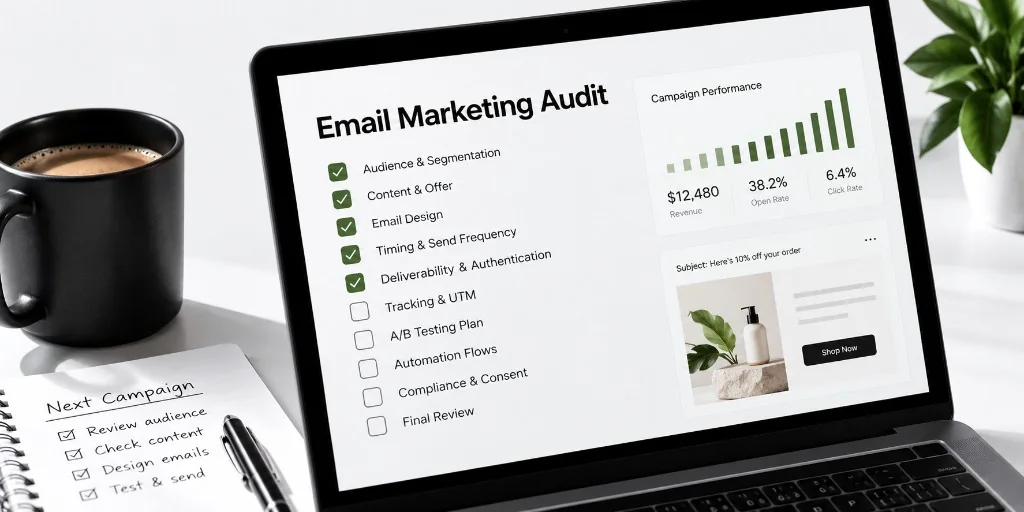
This is a 15-point audit for exactly that. It covers the small, easy-to-miss things that quietly cost a store money, checked in an order that actually makes sense. We start with the plumbing: whether your emails can even land in an inbox at all. Only after that do we touch who’s on your list or what your emails say. There’s no point polishing a subject line if half your emails never arrive in the first place.
You don’t need to be technical to run this. Each check tells you what to look for, why it matters, and how to actually test it yourself. All of it in plain terms, whether or not you’ve ever opened your email platform’s settings before.
Key Takeaways
- Ecommerce email audits work best in a specific order, deliverability and sender authentication first, since nothing else matters if emails don’t reach an inbox.
- SPF, DKIM, and DMARC can pass once, then silently break when a new tool like a chat app is added without authorization.
- List verification matters most before a major sale, after a giveaway or contest, or after any list import or merge, not as routine upkeep.
- The most common abandoned-cart timing mistake is waiting until the next day for the first email, when about an hour is standard.
- A generic 90-day inactivity window for winback flows is often wrong, since it should match how often a store’s own customers typically reorder.
- Preview text often defaults to boilerplate like “having trouble viewing this email” unless set deliberately, wasting visible inbox space.
Deliverability and Sending Foundation
This is the plumbing behind everything else on this list. If your emails don’t actually reach an inbox, in the main tab and not buried in spam, nothing else you check today matters much. Gmail, Yahoo, and other big providers look at a handful of technical signals before deciding where to put your email. Most of those signals get set up once, early on, then never looked at again.
That’s the actual problem. These things don’t break loudly. There’s no warning email telling you something broke. A setting just quietly stops working. The first sign is usually a slow drop in how many people are seeing your emails at all. It’s easy to blame that on something else entirely, a weaker subject line, a tired offer, the wrong send time.
1. Sender authentication is verified as passing, not just set up once
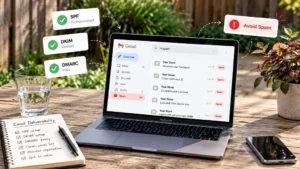
Three settings decide whether inbox providers trust email coming from your store. In plain terms:
- SPF is a list of which tools are allowed to send email using your store’s name. Think of it as a guest list at the door.
- DKIM is a digital signature attached to every email you send, proving it really came from you and wasn’t altered on the way.
- DMARC is the rule that tells an inbox provider what to do if an email fails those checks. It can block the email, send it to spam, or let it through anyway.
Here’s why this quietly breaks. These usually get set up once, often automatically, when you first connect your store to an email tool. Then time passes, and you add something new: a chat app, a review app, another marketing tool. If that new tool isn’t added to your “guest list,” its emails start failing. Sometimes it drags down trust for every email from your domain, not just the new tool’s.
The check itself is simple, even if the names aren’t. Search for a free “SPF DKIM DMARC checker” online and type in your store’s domain. It will tell you plainly whether all three are passing right now. Not whether they exist. Whether they’re passing.
2. Compliance basics are actually present
Every commercial email needs a working unsubscribe link and a real business address. This isn’t a nice-to-have. It’s required almost everywhere you’d legally be selling.
Here’s the part that’s easy to miss: this matters for more than just staying legal. A customer who wants to unsubscribe but can’t find a working link doesn’t just stay quiet about it. They click “mark as spam” instead, because that’s the button they can actually find. That complaint counts against you with every inbox provider watching your sending, and it does far more damage than one clean unsubscribe would have.
The check: click your own unsubscribe link right now, the way a customer would. If it’s slow, confusing, or takes more than one click, that’s the fix.
3. Store platform and ESP are still talking to each other correctly
Your email tool needs a live connection to your store to know basic things. What’s in someone’s cart, what they’ve bought, whether an item is in stock. When that connection quietly breaks, nothing announces it.
Common causes: an app update, a login permission that silently expired, a plan change that dropped access without telling you. The flow keeps “running.” It just starts sending broken or empty content instead of stopping.
The check: add something to your own cart on your live site, then abandon it. See what the abandoned cart email actually looks like when it lands. If a product name shows up blank, or the image is missing, or the email never arrives at all, that connection needs attention.
List Capture and Quality
Once your emails can actually be delivered, the next question is who they’re being delivered to. A list builds up over months or years, through popups, checkout, contests, and old imports. Not every address on it is still worth mailing, or was ever a real person’s inbox to begin with.
This section covers the health of that list. That means how it’s growing, and whether it’s as clean as you assume. Are new signups actually being captured correctly? Are the addresses already there still good?
4. Popup and signup forms match current offers and sync to flows
The popup that greets a new visitor with a discount code is often one of the first things a shopper sees from your store. If it’s wrong, that’s the first impression, before they’ve bought anything at all.
Two specific things break here often. First, the discount team updates a sale but forgets the popup still promises last month’s code. Second, and harder to notice: the popup keeps showing up and collecting emails just fine. But its connection to your welcome flow has quietly dropped, so new signups go nowhere. Emailwish’s own popup tool syncs every signup straight into your flows the moment someone submits, no manual export step needed. That connection, whatever tool built it, is exactly the kind worth confirming still works.
The check: open your site in a private browser window, so you’re treated like a first-time visitor. Then actually sign up through your own popup. See what code you’re offered, and see what email you actually get afterward.
5. Verify your list before a big send
Verification checks each address on your list. It tells you whether it’s likely to work, whether it looks like a mailbox that no longer exists, or whether it’s uncertain either way. It matters most at specific moments, not as a constant background chore:
- Before a big seasonal send.
- After a giveaway or contest, which tends to pull in a wave of low-quality addresses fast.
- After importing or merging any list from somewhere else.
MailCleanup’s bulk email verification is the option we point stores toward for this specific check.
6. Suppression, unsubscribe, and sunset rules are current
This one is about who you’re not mailing, which matters just as much as who you are.
Three quick checks live here:
- Unsubscribes are honored right away, not on a delay.
- Long-quiet subscribers get an actual plan, not mailed forever on the same schedule as everyone else. Six months to a year without opening anything is a common line for “quiet.”
- A recent list import or merge hasn’t accidentally resubscribed anyone who’d previously opted out.
Here’s why the “gone quiet” part matters beyond just being tidy: inbox providers don’t only watch complaints, they watch engagement too. If a large chunk of your list never opens anything, that drags down how trustworthy your sending looks overall. It affects everyone, even the people who do open your emails.
Core Automated Flows
Once your infrastructure works and your list is in decent shape, these are the emails actually doing the selling while nobody’s watching. A campaign gets fresh eyes every single time you hit send. A flow doesn’t. It usually got built once, maybe a year or more ago. It’s been running quietly ever since, which is exactly why it tends to be the most out-of-date part of your whole email program.
The three below are ones your store almost certainly already has running in some form. The real question isn’t whether they exist. It’s whether you’ve actually looked at them since they were first turned on.
7. Welcome series matches current offers and branding
A welcome series is the short string of emails a new subscriber gets right after signing up. It usually starts with the same discount code that got them to sign up in the first place.
Here’s the most common way this breaks. Someone updates the discount on your site or in the signup popup. The welcome email lives in a completely different tool or screen, though, so it’s easy to change one and forget the other exists. A new subscriber gets handed a code that no longer works.
Why this stays invisible: a customer who hits a dead code at checkout doesn’t file a complaint. They just quietly leave. You never learn it’s happening. It just shows up, eventually, as “our welcome series doesn’t convert well,” with no obvious reason why.
The check: sign up for your own list with a fresh email address. Actually read what arrives the way a brand-new subscriber would, rather than just checking a settings screen that confirms an email exists. While you’re at it, click every link in the sequence. Make sure the photos aren’t left over from a promotion that ended months ago.
8. Abandoned cart timing and incentive are current
An abandoned cart email goes out when someone adds a product to their cart and leaves without buying. Timing matters more here than almost anywhere else on this list, because that particular spark of interest fades fast.
| Typical timing | Purpose | |
|---|---|---|
| First | Around 1 hour after leaving | A simple reminder, while the product is still fresh in mind |
| Second | Around 24 hours later | Addresses hesitation, sometimes adds urgency |
| Third | 48 to 72 hours later | A last nudge, often where a discount lives if you use one |
Waiting until the next day for that first email is the single most common timing mistake in this flow. By then, your shopper has often already bought the item somewhere else or simply moved on.
The check: don’t just trust what your settings claim the delay is. Add something to your own cart on your live site, leave, and time how long the first email actually takes to land. Settings can say one thing while the flow quietly does another. Separately, check that the discount still makes sense against your current costs. A code set up months ago, back when margins looked different, can now mean you barely break even on a “recovered” sale.
9. Winback flow matches the store’s own purchase cycle
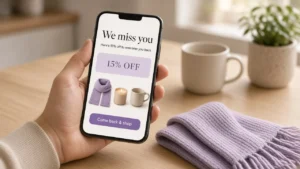
A winback flow targets customers who used to buy from you but have gone quiet. It’s trying to bring them back before they’re gone for good.
Most tools set this to 90 days of no purchase by default, and most stores just leave it there. That default was never built for your specific store. It was built to sound reasonable for everyone, which usually means it’s not quite right for anyone.
Think about how different two stores can be. If you sell something people buy every few weeks, a customer might genuinely be gone after just a month of silence. If you sell something people buy once every year or two, 90 days is meaningless. Most of your best customers look “inactive” the whole time between purchases. Using the same default either way means emailing far too early, which feels pushy, or waiting so long the moment’s already passed.
The check: look at how long it typically takes your own repeat customers to buy again. Set your window around that, not around whatever number came pre-loaded.
Content and Personalization
Your emails are landing, the right people are on your list, and the right flows are running. This section is about the emails themselves, what they say and how they look. Are they actually doing their job once they arrive in someone’s inbox?
10. Subject line and preview text are tested, not just written once
Preview text is the short line that shows next to or under your subject line in someone’s inbox, before they’ve opened anything. Most email tools will automatically pull the first line of the email itself to use as preview text. That happens if you never set one on purpose.
That first line is very often something like “having trouble viewing this email.” It’s a common default line, buried at the top of a lot of templates. That means the most visible real estate your email gets, before anyone opens it, is often wasted on nothing.
The check: look at your last two or three sent campaigns the way a subscriber actually sees them. Check your own inbox, not the email editor. Separately, make sure your subject line doesn’t overpromise relative to what’s actually inside. That gap costs trust, and inbox providers notice a pattern of people opening an email and immediately deleting it.
11. Mobile rendering and load time checked on a real device
Most people now read marketing email on a phone, not a desktop computer. That makes this worth checking directly, rather than assuming your builder’s preview is good enough.
- Images carry alt text, so something still makes sense even if a picture doesn’t load.
- The email isn’t so image-heavy that it lags on a slower connection.
- Your main button is large enough to tap without also hitting something else by mistake.
The check: send the email to yourself and actually open it on a phone. Try more than one app if you can, since Gmail’s app and Apple’s Mail app can render the same email slightly differently. A slow or broken-looking email on mobile doesn’t get a second look from most people. It gets deleted.
12. Dynamic content is pulling correctly
Dynamic content is the part of an email that changes based on who’s receiving it, pulled from your own store’s data. Think the specific products left in someone’s cart, or recommendations based on what they’ve browsed. Not the exact same image going out to everyone. Emailwish’s own email tool is built to send exactly this kind of content. Cart items and product details get pulled in automatically, instead of typed in by hand.
This depends on a live connection between your store’s data and your email tool. When that connection has a problem, the personalization doesn’t just disappear quietly. It often shows up as a blank space, or literally as the word “undefined” where a product name should be.
The check: place an actual test order, or add a specific item to a test cart. See what the resulting email really shows you. Not the generic template preview, the real thing, triggered by a real action. This kind of failure is one of the more embarrassing, quietly costly ones. It tends to go unnoticed until a customer happens to mention it directly.
Omnichannel Signals
Everything so far has been about email on its own. But most stores today also run chat, reviews, and sometimes a wishlist. These three checks are about whether those tools actually talk to your email program, or just sit next to it.
This section comes last for a reason. None of it matters until your emails are landing, your list is healthy, and your core flows work. Once those basics are solid, though, this is where a real edge shows up. Almost nobody checks these connections, which is exactly why they’re usually broken.
13. Chat-to-email handoff is live for browsers who don’t buy
Say a shopper opens your chat, asks if a jacket runs small, gets an answer, and leaves without buying. That’s not a dead end. They just told you exactly what they’re interested in, which is worth more than almost anything a newsletter signup tells you.
The check: does anything happen after that chat if they don’t buy? For most stores, the honest answer is no. The conversation just sits there. The person who asked about that exact jacket gets the same generic email as everyone else, if they get anything at all.
This happens because chat and email usually run as two separate tools that never talk to each other. A platform that connects the two, ours included, can send a follow-up email about that exact jacket once the chat ends with no sale. Whatever tool your store uses, a real question about a real product shouldn’t just disappear the moment the window closes.
14. Review requests trigger at the right window, and reviews display where they help
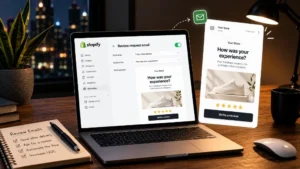
A review request is the email asking a customer to rate what they bought, usually sent sometime after the order arrives. Get the timing wrong in either direction and the request mostly gets ignored.
Too early, before the product has even shown up, and you’re asking someone to review something they haven’t touched yet. Too late, and the moment a happy customer would have left a glowing review has already passed. Emailwish’s own review tool ties the request to actual delivery status, not a flat number of days after purchase. Shipping time varies too much from one order to the next for a fixed number to work well.
The second half of this check matters just as much: once you have reviews, are they actually visible anywhere that helps? A common miss is collecting reviews that sit quietly in a separate tab nobody visits. They never show up directly on the product page, right where a shopper is deciding whether to buy.
The check: look at your own product pages the way a new visitor would. Can you actually see reviews without hunting for them?
15. Wishlist and back-in-stock alerts are wired to the right flows
A wishlist lets a shopper save something they like on your site, without buying it right away. Usually a small heart icon on the product page does the job. That save is a real signal. Someone took an actual action to say “I want this eventually,” which is worth more than just browsing past it.
Here’s where it usually falls apart: the heart icon works fine, the item gets saved, and then nothing else happens. Emailwish’s own wishlist tool watches your store for two specific moments: a wishlisted item coming back in stock, or its price dropping. Either one sends an alert to whoever saved it. Plenty of stores have the save button without anything wired up behind it.
The check: wishlist a product on your own store, then check what your setup actually does when that product’s stock or price changes. If the honest answer is nothing, that’s real, expressed interest going completely to waste.
Run This Audit Before Your Next Campaign
None of these 15 checks takes long by itself. Run through the whole thing once and it’s maybe twenty minutes, less every time after that.
Go through them in the order they’re listed here, starting with the foundation. If you find something broken early on, fix that first before moving on. A broken authentication record matters more than a slightly weak subject line. Fixing the bigger problem first changes how much the smaller ones are even worth chasing.
Before you hit send on your next campaign, decide what success actually looks like for it. Compare it against your own store’s last similar send, not some outside number you found online. That’s the only way a genuinely good result and a quietly mediocre one don’t end up looking the same once the report comes in.
FAQs
1. How often should you audit your email marketing?
Run a full ecommerce email marketing audit at least quarterly, and always before a major sale or launch. List quality moves faster than most teams expect, and a flow that worked fine six months ago can quietly be costing revenue by now. Smaller stores with lower send volume can often stretch to twice a year.
2. What’s the most important thing to check before sending a campaign?
If we had to pick one, it’s whether the discount code or offer in the email actually matches what’s live on the site. It’s the single most common, most embarrassing break we see, and it’s checked in under a minute. After that, list quality and sender authentication matter most.
3. How soon should the first abandoned cart email go out?
Within about an hour of abandonment, while the shopper still remembers what they were looking at. Waiting until the next day is the single most common timing mistake we see in this flow specifically. A second email at 24 hours and a third at 48 to 72 hours rounds out a standard three-email sequence.
4. Do I need SPF, DKIM, and DMARC for a small ecommerce store?
Yes, regardless of size. Gmail and Yahoo now require basic authentication just to land in the inbox at meaningful volume. Most ecommerce stores also send through several tools at once, their platform, their ESP, chat and review apps, each of which needs authorizing. One missing record can quietly break all of them.
5. How often should you clean or re-verify your email list?
About every three months for most stores. Go more often if the list is growing quickly or a big sale just brought in a wave of new signups. Verification catches addresses that have gone bad since the last check. Lists decay quietly, even when nothing looks wrong.
We keep our content up to dateSee latest updates
- – Published


Written and fact-checked under our editorial policy. About Emailwish.