
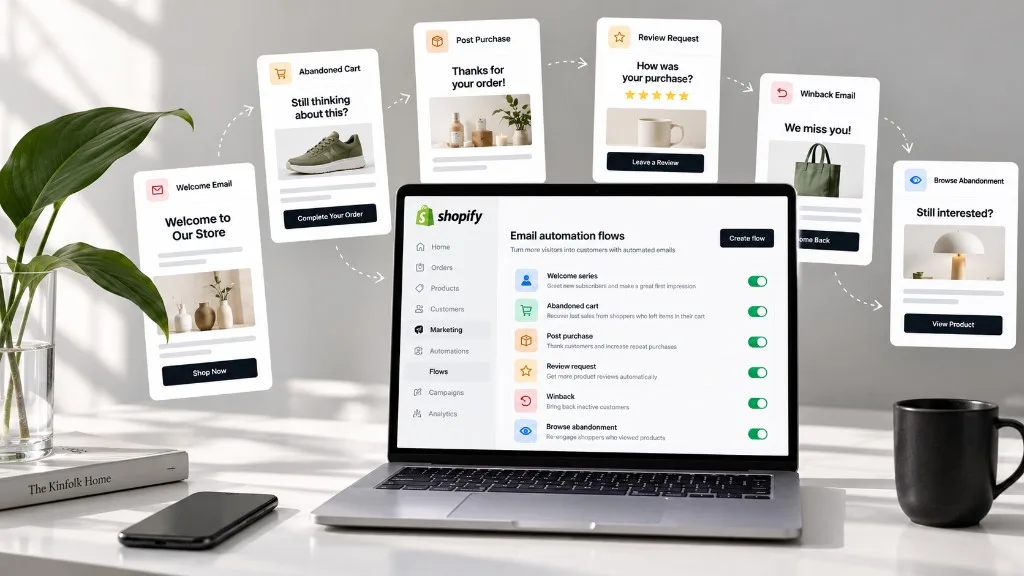
Most stores don’t have an email problem. They have a timing problem. A shopper signs up, browses three products, adds one to the cart and leaves, and the store’s next email is a newsletter that arrives a week later. The moments that mattered went by unanswered.
Email automation flows for an ecommerce store fix that. A flow is a sequence of emails that starts on its own when a shopper does something (subscribes, abandons a cart, places an order, leaves a review) and stops when they do what you hoped. This guide covers the 12 flows worth running on a Shopify or WooCommerce store, in the order we’d build them, with timing, what to say and the mistakes that cost sales. If you want the wider picture first, our Shopify email automation guide explains how automation fits into the rest of your email marketing.
What an email automation flow actually is
Every flow, in any tool, is built from the same five parts:
- A trigger: the event that starts it, such as “subscribed through the popup” or “started checkout.”
- Filters: who is allowed in. For example, exclude anyone who bought in the last 24 hours.
- Waits: the delays between emails.
- Messages: the emails themselves, ideally with dynamic blocks that pull in the shopper’s own cart, products or order.
- An exit: the goal that removes someone from the flow, usually “placed an order.”
The exit is the part most stores forget. A cart reminder that keeps arriving after the shopper has paid is the fastest way to look careless. If the concept is new to you, start with what email automation is and how to use it, then come back here. Triggered emails are the same idea seen from the trigger side.
Flows vs campaigns
| Flow | Campaign | |
|---|---|---|
| Starts when | A shopper does something | You press send |
| Who gets it | One person at a time, at their moment | A segment, all at once |
| Lifespan | Runs for months or years | One send |
| Examples | Welcome, abandoned cart, review request | Black Friday sale, product launch, holiday newsletter |
| Your effort | Set up once, review quarterly | Every send |
Holiday and Black Friday emails are campaigns. They matter, but they don’t belong in an automation plan. A store that gets its flows right first finds those campaigns land better too, because the list is cleaner and the customer data is richer.
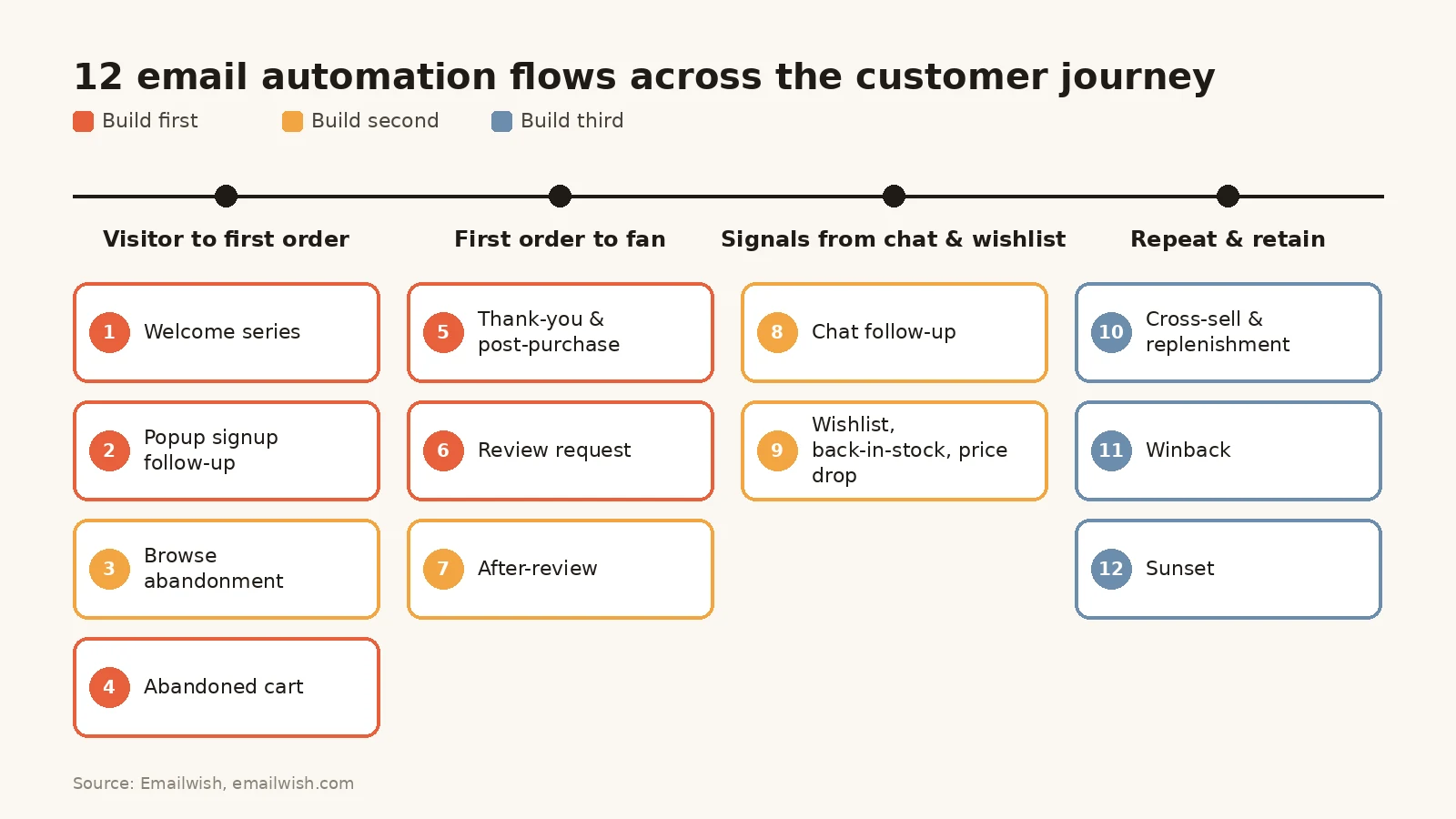
The 12 flows at a glance
| # | Flow | Trigger | Emails and timing | Goal | Build |
|---|---|---|---|---|---|
| 1 | Welcome series | New subscriber | 3 emails over 7 days | First order | First |
| 2 | Popup or form signup follow-up | Signed up through a popup with an offer | 2 emails: instantly, then 3 to 5 days later | Code used | First |
| 3 | Browse abandonment | Viewed a product, no cart | 1 to 2 emails, 2 to 24 hours | Return visit | Second |
| 4 | Abandoned cart | Started checkout, no order | 2 to 3 emails over 3 days | Recovered order | First |
| 5 | Order thank-you and post-purchase | Order placed | 2 emails over the delivery window | Fewer “where’s my order” tickets, second visit | First |
| 6 | Review request | Order delivered | 1 to 2 emails, 5 to 14 days after delivery | Published review | First |
| 7 | After-review | Review submitted | 1 email, split by star rating | Repeat order or saved customer | Second |
| 8 | Chat follow-up | Chat ended without an order | 1 to 2 emails within 24 hours | Order from the chatted product | Second |
| 9 | Wishlist, back-in-stock and price drop | Item saved, restocked or reduced | 1 email per event | Order of the saved item | Second |
| 10 | Cross-sell and replenishment | Days since order | 1 to 2 emails, timed to the product | Second or repeat order | Third |
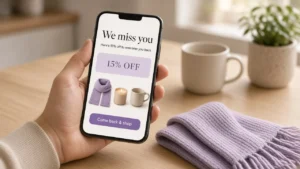
| 11 | Winback | No order in 2 to 3 buying cycles | 2 to 3 emails over 2 weeks | Reactivated customer | Third |
| 12 | Sunset | No opens or clicks in 120 to 180 days | 1 to 2 emails, then suppress | Cleaner list, better inbox placement | Third |
“Build first” means these flows touch the most shoppers with the clearest intent. Get the first five live before you polish anything else.
Flows that turn visitors into first-time buyers
1. Welcome series
Someone just gave you their email address, which is the highest-intent moment you’ll ever have with a non-customer. A welcome series uses it to explain why your store exists, what to buy first and why you can be trusted.
Email 1Instantly
A welcome, the promised offer if there was one, and your best sellers.
Email 2Day 2 or 3
Your story or what makes the product different. A skincare brand might explain its ingredients, and an apparel brand its fit and fabric.
Email 3Day 5 to 7
Social proof (real reviews with photos) and a last nudge.
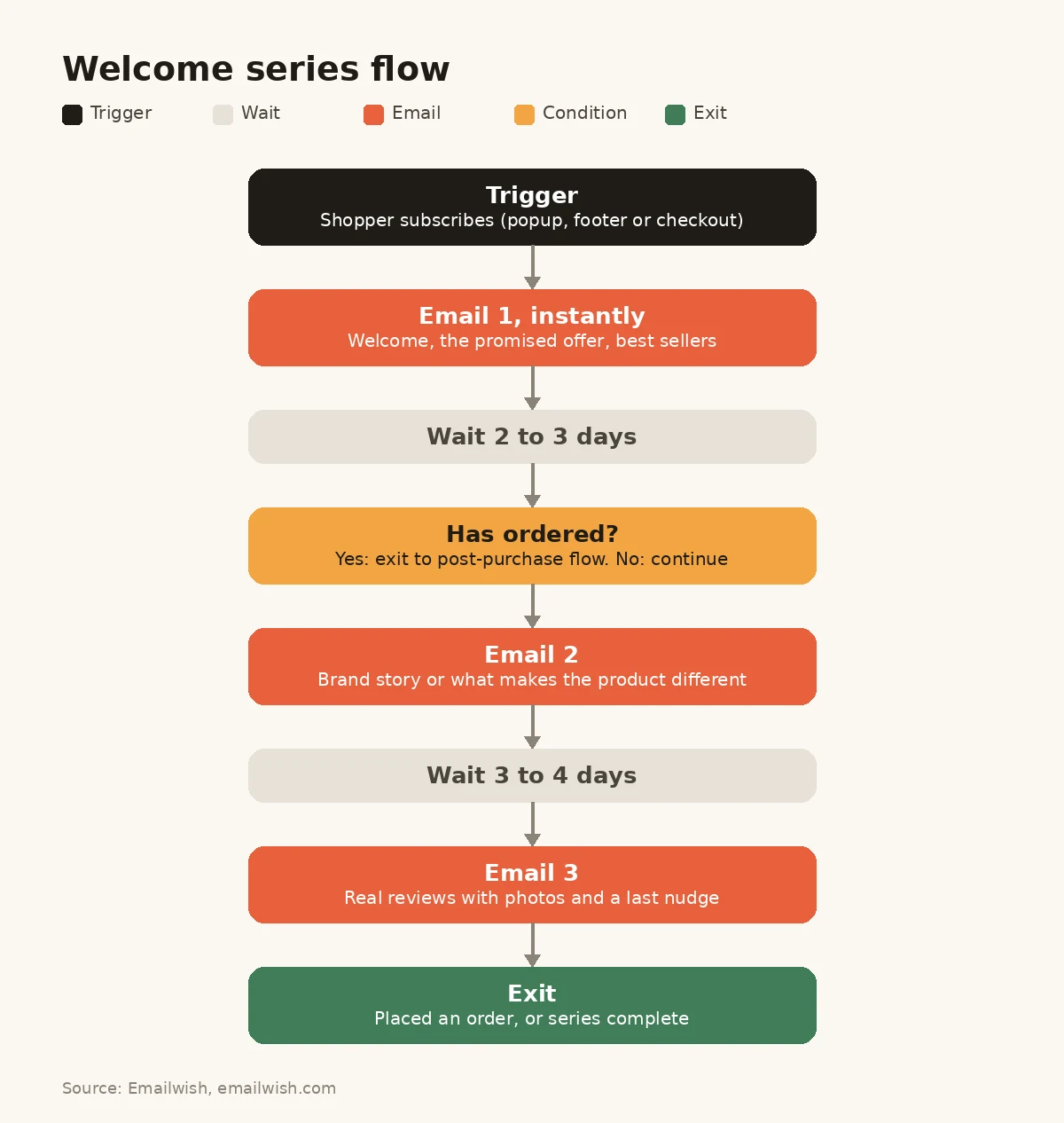
Use a filter to remove anyone who buys along the way, then hand them to the post-purchase flow. A sample subject line for email 1 is “Welcome in, here’s where most people start.” Our full email welcome series guide goes deeper on sequencing and offers.
The common mistake is sending email 1 as a plain “thanks for subscribing” with nothing to click. It’s your best-opened email, so put products in it.
2. Popup or form signup follow-up
Discount popups bring in a lot of subscribers, and many of them never use the code. This flow is a short reminder sequence for people who signed up through a specific popup.
Email 1Instantly
The code, what it applies to and when it expires.
Email 23 to 5 days laterOnly if the code is unused
A reminder, with the products they looked at.
Keep it separate from the welcome series, or merge the two and branch by signup source. That way nobody gets two “welcome” emails on the same day. Answers given in the popup are useful here too. If a visitor told your popup they shop for “running,” lead with running products.
The common mistake is letting the code expire in silence. Name the expiry date in the first email.
3. Browse abandonment
A shopper looked at a product, maybe twice, but didn’t add it to the cart. That’s a weaker signal than an abandoned cart, so the email should be lighter: no discount, just the product, two or three alternatives, and the review count or a line that answers the usual question (“free returns within 30 days”).
Send one email 2 to 24 hours after the visit, and only to known subscribers who viewed the same product more than once. That filter keeps it helpful rather than creepy.
The common mistake is firing on every single page view. Shoppers who browse casually don’t want an email for each click.
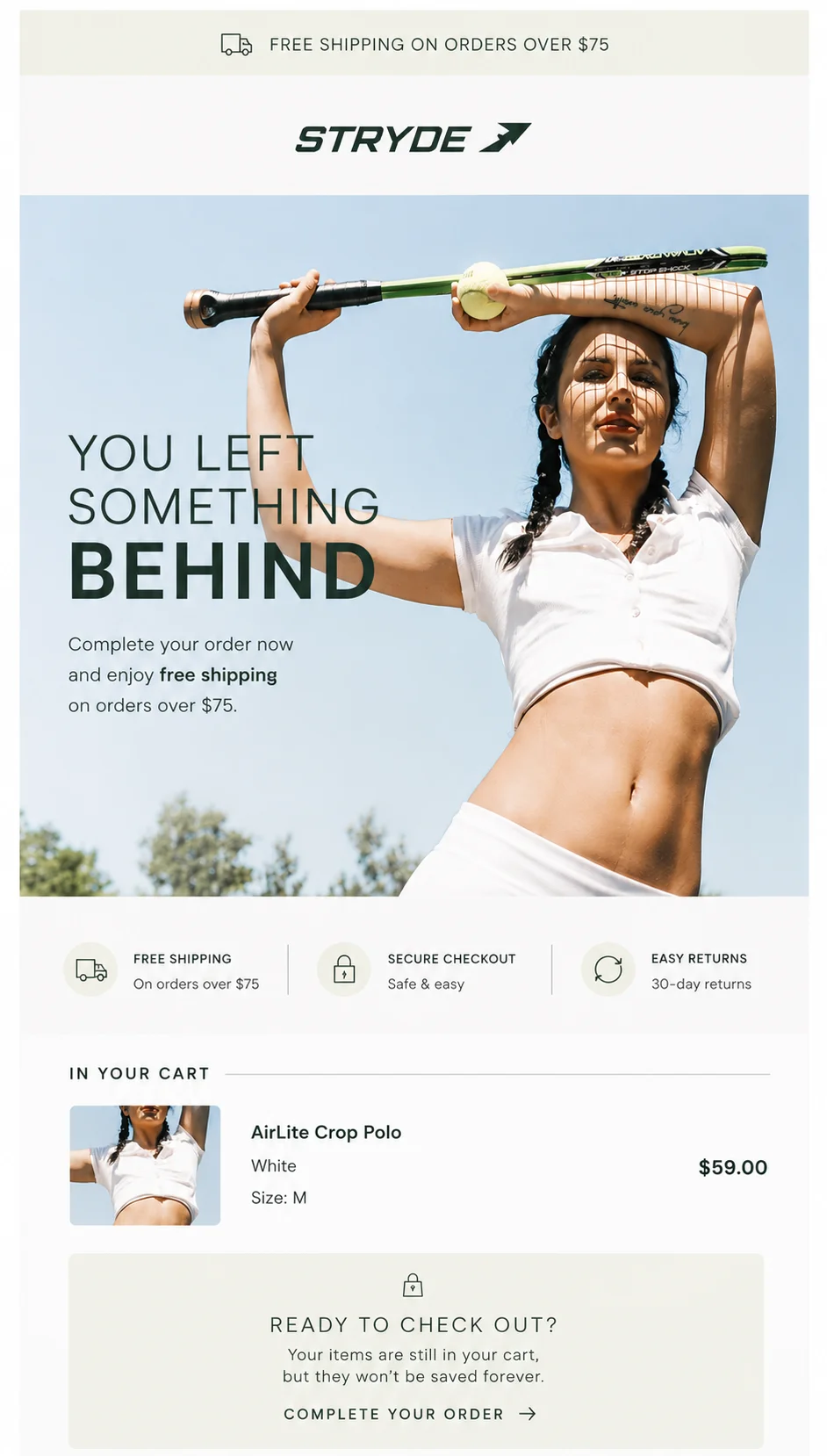
4. Abandoned cart
This is the flow everyone knows, for good reason. Baymard Institute puts the average documented cart abandonment rate at 70.22%, averaged across 50 studies, so most stores lose more carts than they keep.
Email 11 to 4 hours
The cart contents with images, a direct link back to checkout and an answer to the likely objection (shipping cost, returns, sizing).
Email 2About 24 hours
Reviews of the item in the cart.
Email 348 to 72 hoursOptional
An incentive, but only for first-time buyers or high-value carts. If you discount every abandoned cart, you’re teaching customers to abandon on purpose.
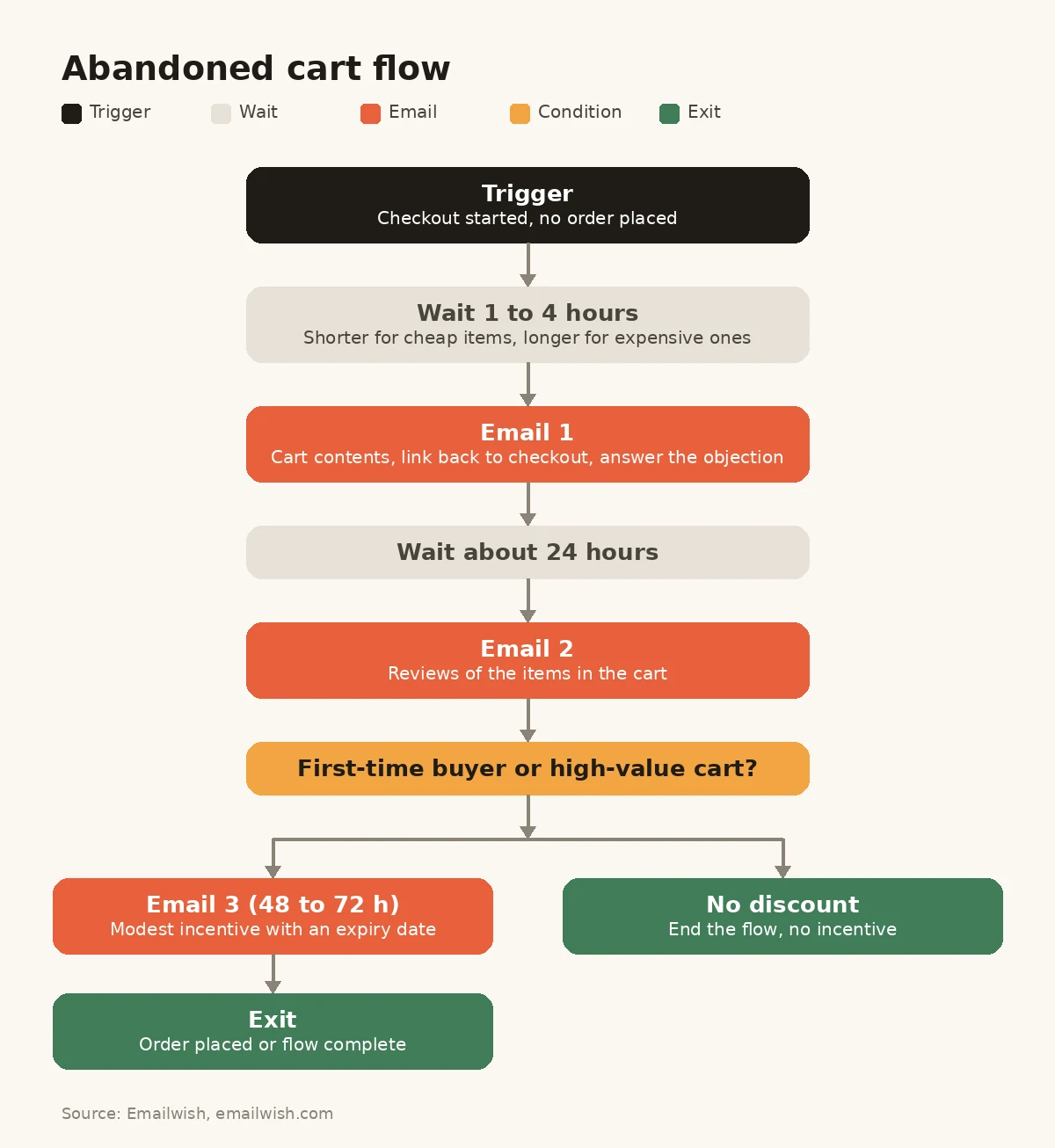
Shorter waits suit cheap, impulse products, while expensive items can wait longer. If your platform sends its own checkout reminder, switch it off so the shopper doesn’t get two. The abandoned cart flow guide covers setup step by step, and the HappyChien case study shows what this flow did for one store.
The common mistake is having no exit. The flow must stop the moment an order is placed.
For fashion and apparel stores, abandoned carts can also happen when shoppers are unsure which size to choose. An AI size recommendation tool can use shopper inputs such as height, weight, age, body profile, and fit preferences together with product-specific sizing data to provide personalized size guidance directly on the product page.
Tools such as AI Fit Finder go a step further by considering factors such as the product’s cut, fabric stretch, brand-specific sizing rules, and preferred fit (slim, regular, relaxed, or oversized) when determining the most suitable size. For Shopify apparel stores, this can be integrated without coding and customized across different products or collections, helping shoppers resolve sizing uncertainty before they leave the purchase journey, increasing purchase confidence, and potentially reducing wrong-size orders, exchanges, and size-related returns.
Flows that make the first order feel good
5. Order thank-you and post-purchase
The order confirmation is a transactional email that your platform already sends. The post-purchase flow is separate. It fills the anxious gap between “paid” and “delivered.”
Email 1Day 1 or 2
A real thank-you, what happens next, and how to get help. If the product needs setup or care, send the how-to now so it’s ready when the parcel arrives.
Email 2Around delivery
Tips for getting the most out of the product, plus one complementary product (not a catalogue).
This flow cuts “where’s my order?” tickets and makes the second purchase more likely, because the customer’s first experience was good.
The common mistake is asking for a review or pushing a sale before the product has even arrived.
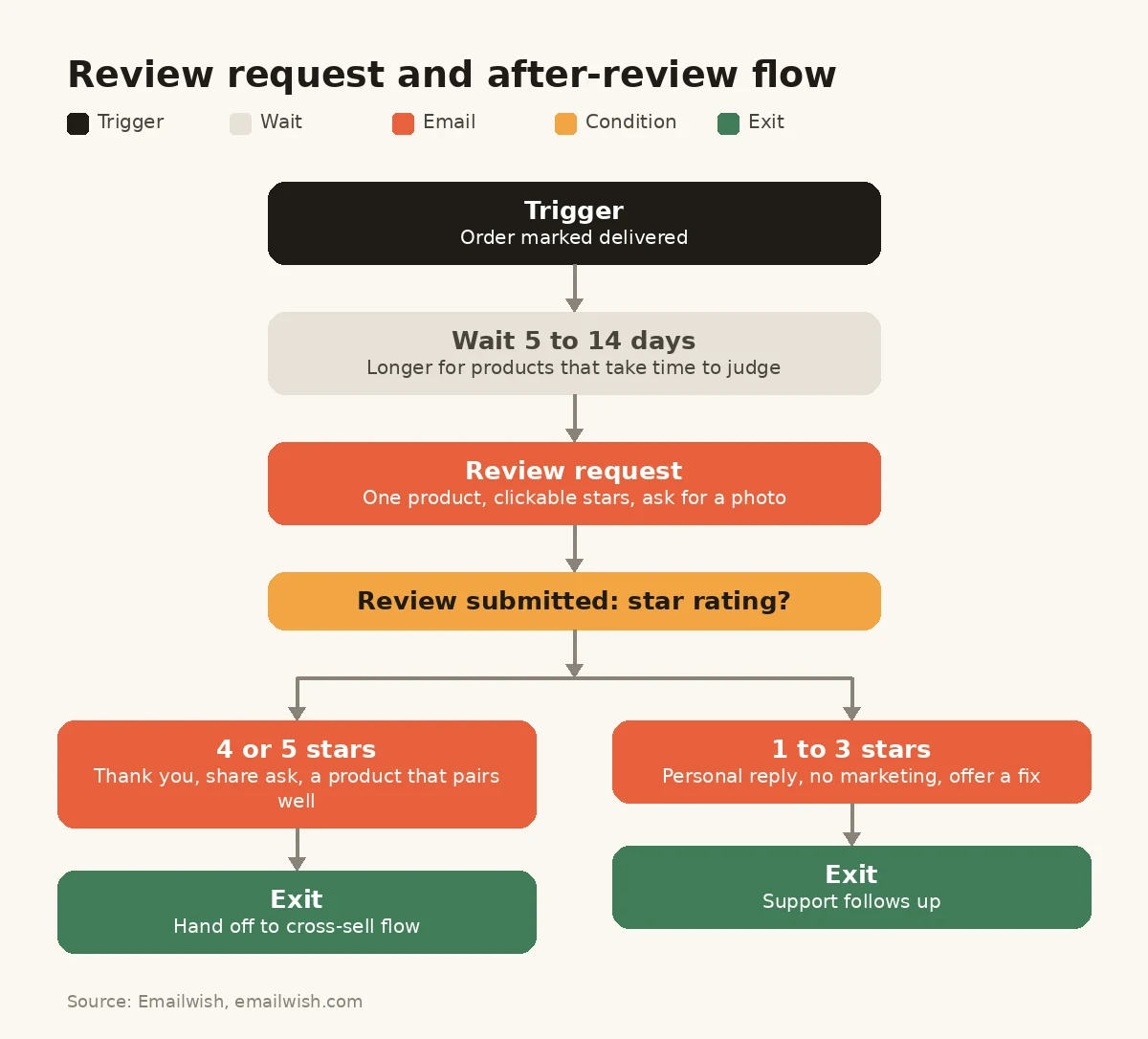
6. Review request
Reviews sell for you on product pages, in ads and in your other flows. Ask after delivery, not after the order: 5 to 7 days after delivery for products used straight away, and 10 to 14 days for things that take time to judge, like skincare or supplements.
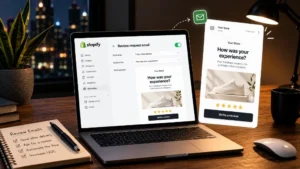
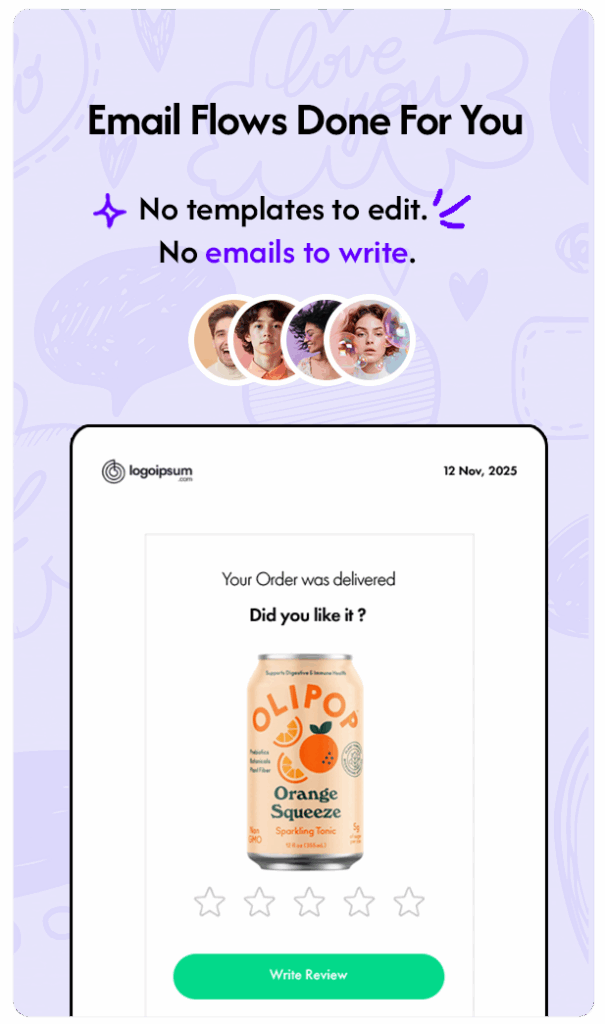
Keep the email to one job. Show the product they bought, add a star rating they can click, and ask for a photo. If they ordered several items, ask about the one with the fewest reviews. Our guide to review request emails has timing by product type, and Emailwish’s Shopify reviews app collects the review and shows it on the product page from the same app.
The common mistake is offering a discount for “positive reviews.” Reward any honest review or none at all. Incentivised reviews should be marked as incentivised.
7. After-review
Most tools stop once the review arrives. That’s a waste, because a review is the clearest signal you’ll get about how a customer feels.
- 4 or 5 stars: say thank you, ask them to share, and recommend a product that pairs with what they loved.
- 1 to 3 stars: send no marketing at all. Send a personal reply from the founder or support team asking what went wrong, with a direct way to get a replacement or refund.
A VIP who leaves a 2-star review and gets a “you might also like” email will probably not buy again. One who gets an apology and a fix often does.
The common mistake is sending the same follow-up to every reviewer regardless of rating.
Flows built on signals email-only tools miss
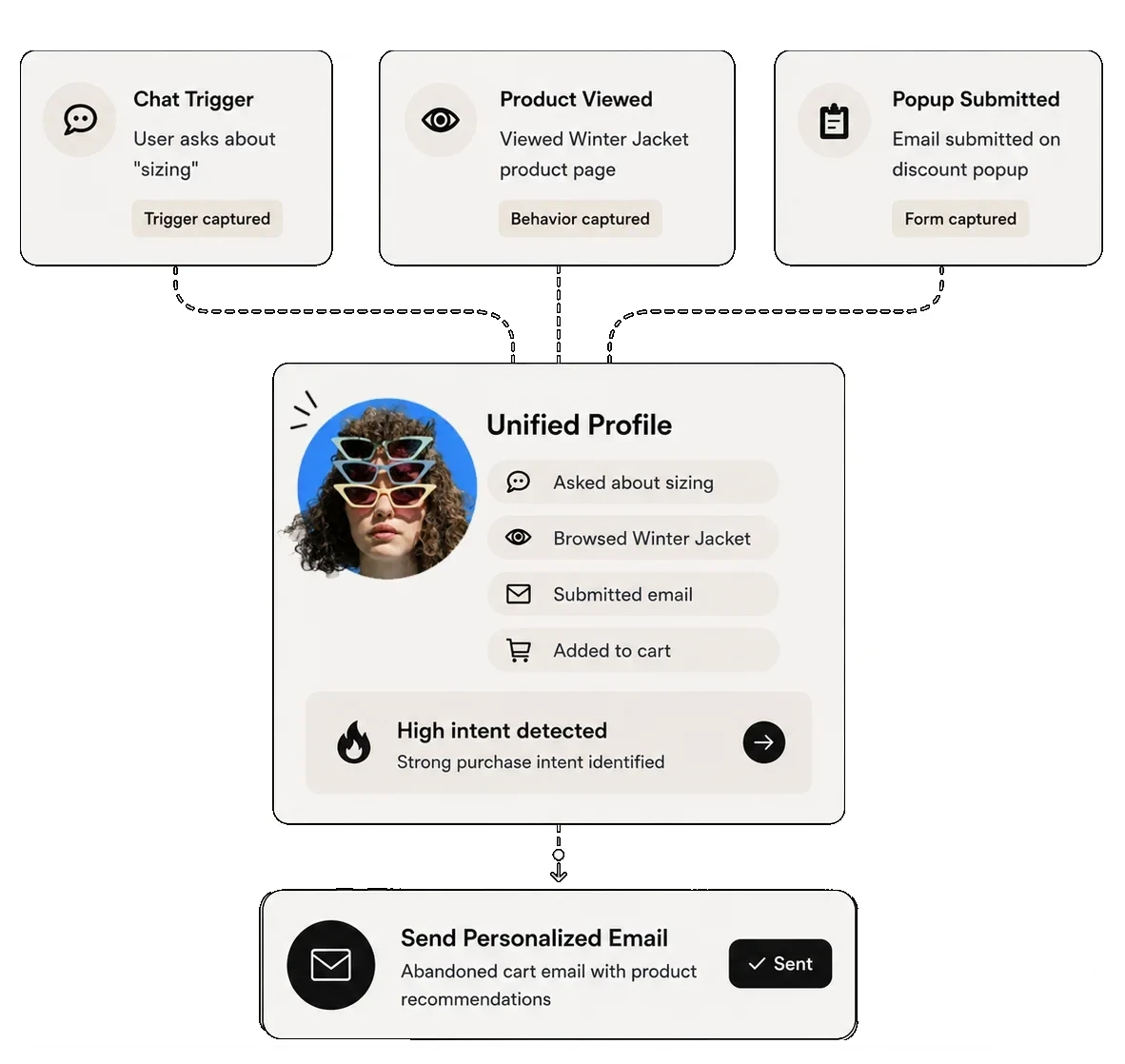
The next two flows depend on data that lives outside your email tool: what shoppers say in chat and what they save. If your chat and wishlist apps are separate products, these flows need an integration at best. At worst, the data never reaches your email at all. This is the core reason Emailwish runs chat, reviews, popups and wishlists in the same app as email.
8. Chat follow-up
A shopper asks in live chat whether a jacket runs small, gets an answer, and leaves without buying. That’s a warmer lead than any abandoned cart, because they asked about a specific product.
Email 1A few hours later
A summary of the answer, the product they asked about, and a link straight to it.
Email 2Next dayOnly if they still haven’t bought
Reviews of that product that mention the topic they asked about, such as fit.
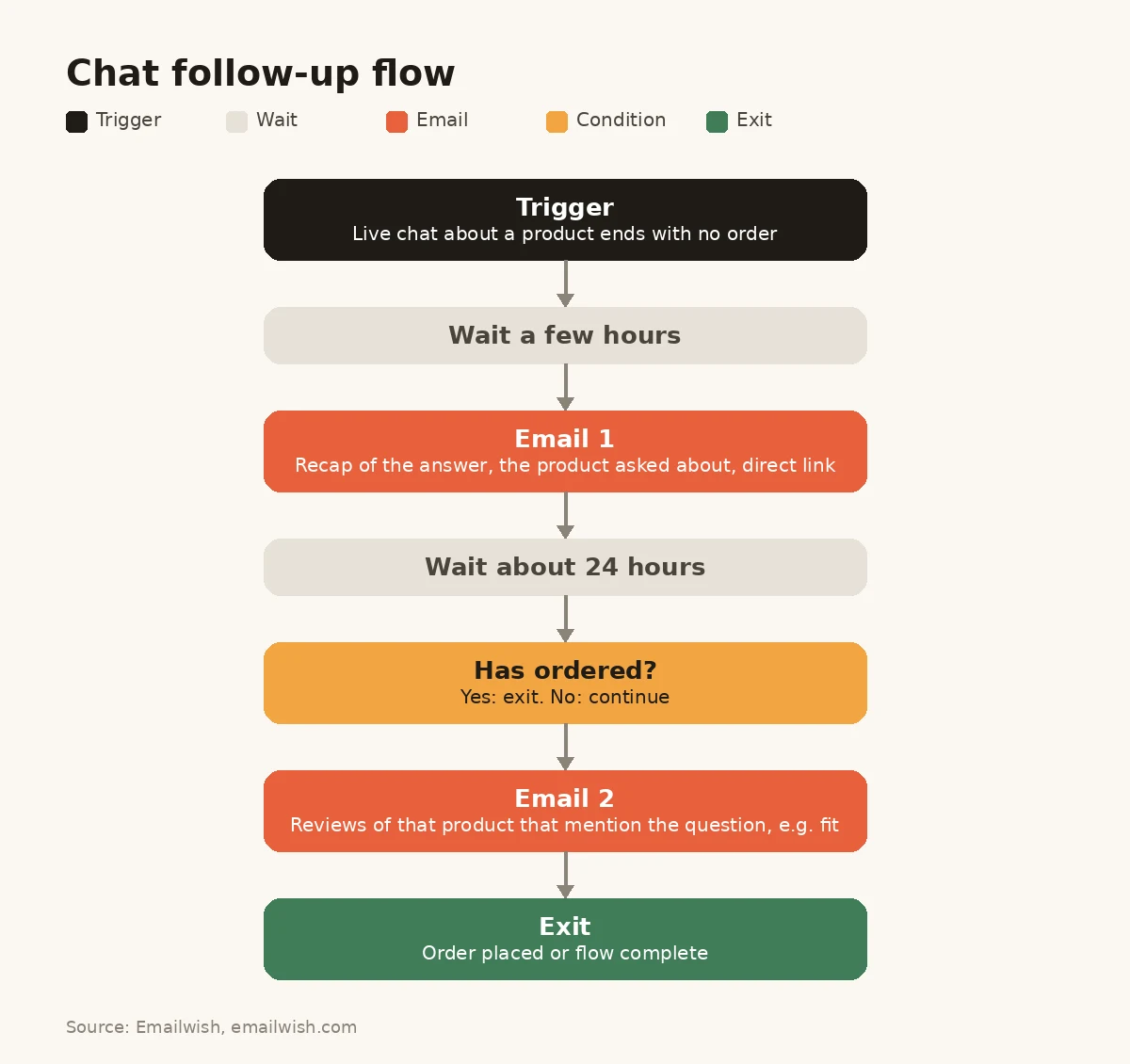
The flow needs to know which product the chat was about. That’s simple when chat and email share one customer profile, as they do with Emailwish’s Shopify chat app, and hard when they don’t.
The common mistake is sending a generic “how did we do?” survey and nothing about the product.
9. Wishlist, back-in-stock and price drop
Wishlists are a list of products each shopper has told you they want. Three events are worth an email:
- Back in stock: the saved item (or a size they wanted) is available again. Send it right away, because stock that sold out once tends to sell out again.
- Price drop: the saved item is on sale. This is the one discount email nobody minds.
- Still in your wishlist: a gentle reminder 7 to 14 days after saving, with low-stock warnings only if they’re true.
These are some of the most relevant emails a store can send, because the shopper picked the product, not you. Emailwish’s wishlist and back-in-stock alerts send all three from the same app.
The common mistake is sending back-in-stock emails to everyone. Send them to the people who asked.
Flows that bring customers back
10. Cross-sell and replenishment
These flows are timed to the product, not the calendar.
- Replenishment: for anything that runs out (coffee, supplements, skincare, pet food), send a reorder email a few days before the customer is likely to run out. A 30-day supply means an email around day 24.
- Cross-sell: for one-off purchases, recommend the item that naturally comes next, like a case for the phone stand or a care kit for the leather boots. Send it 2 to 4 weeks after delivery.
The common mistake is recommending the same best sellers to everyone. Base the recommendation on the order.
11. Winback
A customer who hasn’t ordered in two to three of your typical buying cycles is drifting. For a coffee subscription that might be 60 days, while for furniture it might be a year. The economics justify the effort: research by Frederick Reichheld of Bain & Company, cited in Harvard Business Review, found that increasing customer retention by 5% increases profits by 25% to 95%.
Email 1
What’s new since their last order, with no discount.
Email 2A week later
Their past purchase and what pairs with it, plus a modest incentive.
Email 3A week after that
A plain question about whether they’d still like to hear from you.
See our winback flow guide for segment rules and timing by category.
The common mistake is starting the winback with your biggest discount. Save the incentive for email 2.
12. Sunset
The sunset flow is the one that protects all the others. Subscribers who haven’t opened or clicked in 120 to 180 days drag down your sender reputation. Mailbox providers notice when you keep emailing people who ignore you. Send one or two “still interested?” emails, then stop marketing to anyone who doesn’t respond.
This matters more since Gmail and Yahoo tightened their sender rules. Google’s email sender guidelines require senders of more than 5,000 messages a day to Gmail accounts to support one-click unsubscribe on marketing messages, and to show a visible unsubscribe link. A smaller, engaged list beats a big, silent one. If your emails are already landing in spam, start with why Shopify emails go to spam .
The common mistake is never removing anyone because “they might buy one day.”
How to set up these flows on Shopify and WooCommerce
On Shopify, the built-in Shopify Email Marketing app handles simple automations such as abandoned checkout and welcome emails. That’s fine for a new store. Once you want chat, review or wishlist triggers, branching by star rating, or revenue reporting per flow, you’ll need a dedicated app. Our roundup of the best email marketing apps for Shopify compares them on these points, and you can browse ready-made flows for Shopify for examples.
On WooCommerce, automation usually comes from a paid extension such as AutomateWoo or from an email app that connects to your store. Check that the tool reads order status changes (for example “completed”), because review requests and post-purchase flows depend on them. The top email marketing apps for WooCommerce are compared here.
Whichever platform you’re on, build in this order:
- Turn on the welcome, abandoned cart, post-purchase and review request flows first.
- Add exits and buyer filters to each one before you edit any copy.
- Send every flow to yourself with a real test order.
- Add the second-tier flows one a week, so you can see what each one changes.
- Review timing and content every quarter, not every day.
If you’re still choosing a tool, our guide to ecommerce marketing automation software compares the options on automation depth and price.
Rules that stop flows from working against you
- Set priorities between flows. A shopper can qualify for welcome, browse and cart flows in the same hour. Decide which wins (usually the cart) and pause the others.
- Cap frequency. Limit flow emails to about one a day per person, apart from transactional messages.
- Use discounts deliberately. Offer them in one or two flows (welcome and the last cart email for first-time buyers) and nowhere else by default.
- Respect consent. Marketing flows go only to people who opted in. The FTC’s CAN-SPAM compliance guide and GDPR both require a clear way to opt out. Double opt-in is the safest default for EU shoppers.
- Keep the copy in your voice. Flows run for years, so a template’s default copy will be read by thousands of your customers. Rewrite it, use a tool that writes it from your brand, or draft each email with our free AI email generator.
How to tell if a flow is working
Open rates have been unreliable since Apple’s Mail Privacy Protection started loading images automatically, so don’t judge a flow by them. Track these instead:
| Metric | What it tells you | Use it for |
|---|---|---|
| Revenue per recipient | Money earned for every person who entered the flow | Comparing flows with each other |
| Placed-order rate | Share of recipients who bought | Abandoned cart, welcome, winback |
| Click rate | Whether the content earns attention | Spotting a weak email in a sequence |
| Unsubscribe and spam complaint rate | Whether you’re sending too much | Every flow, monthly |
| Review submission rate | Share of delivered orders that leave a review | Review request flow |
When a flow underperforms, change one thing at a time (timing first, then the offer, then the copy) and give it a few weeks of data before you judge.
How Emailwish runs these flows for you
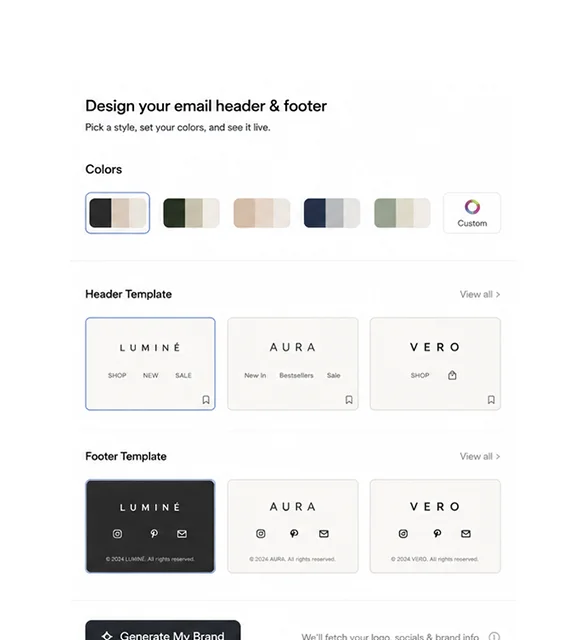
Emailwish was built so a store doesn’t have to assemble all of this by hand. When you install it, Emailwish reads your store (name, logo, social links, products and brand colours). Within minutes it builds about 10 ready-to-send flows, including welcome, abandoned cart, review request, after-review, form signup and chat follow-up. The images are designed and the copy is written in your brand’s voice. You choose a header and footer style, and the flows go live. Every flow stays editable.
Because live chat, product reviews, popups and wishlists run inside the same app, flows 7, 8 and 9 in this guide work without any integrations. A chat about sizing, a 2-star review or a saved item that’s back in stock is just another trigger on the same customer profile. Shopify orders, products, browsing and checkout events sync in real time, and every flow and campaign reports the revenue it brings in.
To be clear about the gaps: Emailwish doesn’t send SMS, so if SMS is central to your plan, a tool built around it is the better fit. A/B testing is coming soon. Pricing starts with a free plan (1,000 emails a month for up to 100 contacts), and paid plans start at $35 a month for 10,000 emails. Live chat and email support are included on every plan. See Emailwish pricing for current limits.
FAQ
1. How many email automation flows does an ecommerce store need?
Start with four: welcome, abandoned cart, post-purchase and review request. Together they cover the moments when shoppers have the most intent. Add browse abandonment, popup follow-up, chat follow-up and wishlist alerts next, then cross-sell, winback and sunset once you have repeat customers.
2. What’s the difference between an automation flow and a drip campaign?
A drip campaign sends a fixed series on a schedule, usually after a signup. A flow reacts to behaviour, so it starts on an event (a cart, an order, a review), can branch based on what the shopper does, and stops when the goal is met. Most ecommerce flows are behaviour-based. What is a drip campaign covers the difference in more detail.
3. Should every abandoned cart email include a discount?
No. Lead with the cart, an answer to the likely objection, and reviews. Keep any discount for the last email and for first-time buyers or high-value carts. If you discount every abandoned cart, regular customers will learn to wait for the code.
4. Can I trigger emails from live chat, reviews or wishlists?
Yes, if your email tool can see that data. With separate apps, you need an integration that passes chat topics, star ratings or saved items into your email platform. Many don’t pass enough detail to be useful. With Emailwish they are native triggers, because chat, reviews and wishlists run in the same app as email.
5. Do these flows work on WooCommerce as well as Shopify?
Yes. The flows are the same, because they’re based on shopper behaviour, not the platform. What differs is setup. Make sure your tool reads WooCommerce order statuses and cart events, since review requests and abandoned cart flows depend on them. Emailwish supports both Shopify and WooCommerce.
6. How often should I update my flows?
Review them every quarter, and whenever something changes in your store: new shipping rules, a new best seller or a new returns policy. Check timing and exits first. Update the copy when the brand or the offers change.
Email Automation Flows for Ecommerce: Conclusion
You don’t need all 12 flows on day one. The welcome, abandoned cart, post-purchase and review request flows handle the moments when shoppers are most ready to act, so build them first, with proper exits, buyer filters and your own voice. Then add the flows most stores never get to. Those are the ones that follow up a chat, react to a review’s star rating, and email shoppers when a saved item is back or cheaper. They’re more relevant because they’re built on what each shopper actually did.
If you’d rather have those flows running this afternoon than next month, install Emailwish free. It builds your flows from your store in minutes, with chat, reviews, popups and wishlists already connected.
We keep our content up to dateSee latest updates
- – SEO update: new featured image, external links open in a new tab, AutomateWoo links to its comparison page.
- – Rewritten. The article now covers 12 flows grouped by customer journey stage, with a flow table, setup steps for Shopify and WooCommerce, flow rules, metrics, an FAQ and verified sources. Holiday and Black Friday templates were removed because they are campaigns, not flows.
- – Added a section on AI size recommendation tools for reducing apparel cart abandonment
- – Published


Written and fact-checked under our editorial policy. About Emailwish.