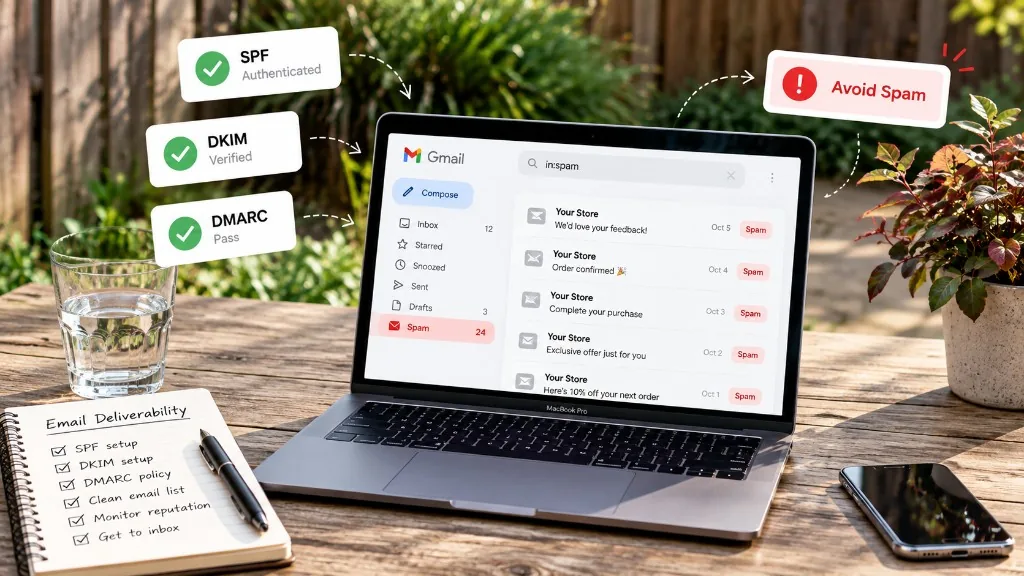
Store emails land in spam for a handful of fixable reasons: sending from an unverified domain, missing SPF, DKIM, or DMARC records, a list full of dead addresses, too many spam complaints, or sudden volume spikes. Fix those seven things and your flows and campaigns have a real chance of reaching the inbox.
You can build the perfect abandoned cart flow. Great subject line, the right delay, a well-timed discount. None of it matters if the email lands in the spam folder. And for many stores, a meaningful share of email never reaches the inbox at all.
The rules also got stricter. Gmail and Yahoo began enforcing sender requirements in 2024, Microsoft followed for Outlook and Hotmail in May 2025, and since late 2025 Gmail can reject non-compliant mail outright instead of just filtering it. If your store sends a few thousand emails a day, these rules apply to you.
The good news: you don’t need to be technical to fix most of this. Here is the checklist. For the wider picture beyond these seven fixes, see our email deliverability best practices.
The first sign: your open rates drop for no clear reason
Deliverability problems rarely announce themselves. Your email platform still says “delivered”, because the receiving server accepted the message. It just put it in spam. What you notice instead is a slow slide:
- Open rates fall across every campaign, not just one.
- Flow revenue drops even though traffic and cart abandonment look the same.
- Customers say they never got their order confirmation or discount code.
- Gmail addresses perform much worse than the rest of your list.
How to confirm it is a spam folder problem
Before you change anything, confirm where your emails land. Three quick checks:
- Send to yourself. Create free test inboxes at Gmail, Outlook.com, and Yahoo, subscribe them to your store, and trigger a real flow such as the welcome email. Check the inbox, the Promotions tab, and the spam folder.
- Compare by provider. Most email platforms can report opens by domain. If Gmail opens are far below Outlook or Yahoo, the problem is likely specific to how Gmail sees your domain.
- Use Google Postmaster Tools. It is free, and once you verify your domain it shows your spam complaint rate and whether you meet Gmail’s sender requirements.
If test emails reach the inbox but real campaigns don’t, the issue is usually reputation (your list or complaints). If test emails land in spam too, start with steps 1 and 2.
If two or more of these sound familiar, work through the checklist below in order. Each step builds on the one before it.
1. Send from your own domain
If your From address is a free mailbox like [email protected], stop here and fix this first. Gmail and Yahoo publish strict DMARC policies for their own domains, so marketing email that claims to come from @gmail.com but is sent through a store or email platform is likely to fail and land in spam or be rejected.
Use an address on your own domain, such as [email protected]. Shopify and WooCommerce both let you set the sender email for store notifications, and your email platform will ask you to verify the domain before sending campaigns. It also looks more professional to customers, which helps them trust and open your mail. Our guide to sender email address best practices covers which address to use.
2. Authenticate your domain with SPF, DKIM, and DMARC
These three DNS records prove that your emails really come from you. In plain terms (our DMARC vs DKIM vs SPF guide goes deeper):
- SPF lists the services allowed to send email for your domain.
- DKIM adds a digital signature showing the message was not changed along the way.
- DMARC tells inbox providers what to do if a message fails those checks.
You don’t write these records yourself. Your email platform gives you the values, and you paste them into your domain settings, usually at your registrar or in your store’s domain panel. The most common mistake is forgetting a sender. If Shopify sends your order emails and another tool sends your campaigns, both need DKIM, and both must be listed in a single SPF record. Two separate SPF records break SPF entirely.
This is also why your choice of platform matters. Good email marketing platforms for ecommerce walk you through domain authentication step by step and tell you when something is missing, instead of leaving you to discover it in your open rates.
3. Clean your list before it hurts you
Ecommerce lists get dirty fast. Customers mistype their address at checkout (gmial.com, yaho.com). Coupon popups attract throwaway and disposable addresses. Old customers abandon their mailboxes. Every one of these addresses bounces, and a high bounce rate tells Gmail and Outlook that you don’t manage your list carefully.
Some abandoned addresses are later turned into spam traps, which exist to catch senders with poor list practices. Hitting them can damage your reputation or get your domain blocklisted.
Run regular email list cleaning to remove invalid, mistyped, and disposable addresses, especially before a big campaign or after importing contacts from another tool. Add a check at signup too, so bad addresses never make it into your list in the first place. As a rule of thumb, if your hard bounce rate on a campaign goes above 2%, clean the list before you send again.
4. Keep spam complaints under 0.1%
Every time someone clicks “Report spam”, inbox providers take note. Gmail’s guidelines ask senders to stay below 0.1% and never reach 0.3%. That is one complaint per 1,000 emails delivered. It sounds generous until you run a big sale.
In ecommerce, complaints usually come from automated flows, not newsletters. A win-back flow sent to someone who bought once two years ago, a browse abandonment email that feels intrusive, or a welcome series sent to someone who only wanted a discount code. Review which flows generate the most complaints and tighten who enters them.
Some addresses belong to people who report almost everything as spam. Screening your list for known spam complainers before large sends removes the contacts most likely to hurt your complaint rate. Also make sure your welcome series sets clear expectations about what you will send and how often.
5. Make unsubscribing easy
It sounds backwards, but a visible unsubscribe link protects your deliverability. If people can’t find it, they click “Report spam” instead, and that hurts far more than losing a subscriber.
Bulk senders must now support one-click unsubscribe in the email header, which is the “Unsubscribe” link Gmail shows next to your sender name, and must honor requests within two days. Most modern email platforms handle the header automatically. Your part is to keep a clear link in the footer and never hide it behind a login.
6. Protect your order emails
Order confirmations, shipping updates, and password resets are the emails customers wait for. If your promotional campaigns damage your reputation, these can end up in spam too, which leads to support tickets and chargebacks.
Where your setup allows it, send marketing from a subdomain such as news.yourbrand.com and keep transactional emails on your main domain or a separate one. That way, a bad campaign does not drag your receipts down with it. Never add promotional content to order confirmations in a way that makes them look like marketing.
7. Ramp up before Black Friday, not on Black Friday
Inbox providers get suspicious when a sender who usually sends 2,000 emails a day suddenly sends 50,000. It looks like a compromised account or a spammer, and your mail gets throttled or filtered right when it matters most.
Start increasing volume several weeks before your peak season, as part of your Black Friday email marketing plan. Send more often to your most engaged customers first, then gradually add less active segments. By the time the big sale arrives, your normal sending volume already looks like peak volume.
Already in spam? How to recover
If you are already seeing heavy spam placement, don’t keep sending to your full list and hope it improves. That usually makes it worse. Instead:
- Fix authentication first. Nothing else sticks until SPF, DKIM, and DMARC pass.
- Clean the list and suppress everyone who hard bounced or complained.
- For two to four weeks, send only to customers who opened or bought in the last 60 to 90 days.
- Pause cold segments and aggressive win-back flows until engagement recovers.
- Add older segments back gradually, watching opens and complaints after each step.
Recovery takes weeks, not days, because inbox providers need to see a steady pattern of wanted mail. Keep your highest-value automation flows running for engaged customers during this period, since they tend to earn the strongest engagement and help rebuild trust. If your content is what trips the filters, our guide on how to avoid spam filters covers wording and formatting.
Your deliverability checklist
| Check | What to do | How often |
|---|---|---|
| Own domain | Send from yourbrand.com, never a free mailbox | Once |
| SPF, DKIM, DMARC | Publish records for every tool that sends as your domain | Once, then when you add a tool |
| List cleaning | Remove invalid, mistyped, and disposable addresses | Monthly and before big sends |
| Spam complaints | Stay under 0.1%, review flows with the most complaints | Weekly |
| Unsubscribe | One-click in the header, clear link in the footer | Once, then spot check |
| Order emails | Keep transactional and promotional mail apart | Once |
| Volume ramp | Grow volume gradually before peak season | Every September to November |
FAQ: store emails going to spam
1. Why are my Shopify emails going to spam?
The most common reasons are sending from an unverified or free email domain, missing SPF, DKIM, or DMARC records, a list with many invalid addresses, and high spam complaint rates from automated flows. Start by authenticating your domain, then clean your list.
2. Do I need DMARC if I only send a few emails?
It is only strictly required for bulk senders, which Gmail defines as about 5,000 or more messages a day to Gmail accounts. Setting it up early is still a good idea because stores tend to cross that line during sales, and the record is free to add.
3. How often should I clean my email list?
Monthly for active stores, and always before a large campaign or after importing contacts from another platform. Adding verification at signup reduces how often you need to do a full clean.
4. Will switching email platforms fix my deliverability?
Not on its own. Reputation is tied to your domain and your sending habits. A good platform (see our best email marketing apps for Shopify) makes authentication and suppression easier, but if the list and complaint problems come with you, so will the spam folder.
We keep our content up to dateSee latest updates
- – SEO update: real headings and FAQ schema, featured image, internal links and the Email Deliverability category. Alaa Touil's text is unchanged.
- – Published

Written and fact-checked under our editorial policy. About Emailwish.